
With WebOps, you can search for and purchase domains directly from your dashboard without using a third-party registrar.
This guide walks you through the domain search and purchase process step by step.
Step 1: Open the Purchase Domain Page #
قم بتسجيل الدخول إلى لوحة تحكم WebOps الخاصة بك: app.thewebops.com
من الشريط الجانبي الأيسر، انقر فوق النطاقات.
Then choose one of the following options:
- انقر Purchase Domain from the expanded sidebar menu
- Or click إضافة نطاق جديد from the Domains Portfolio page
Both options will open the Purchase Domain page.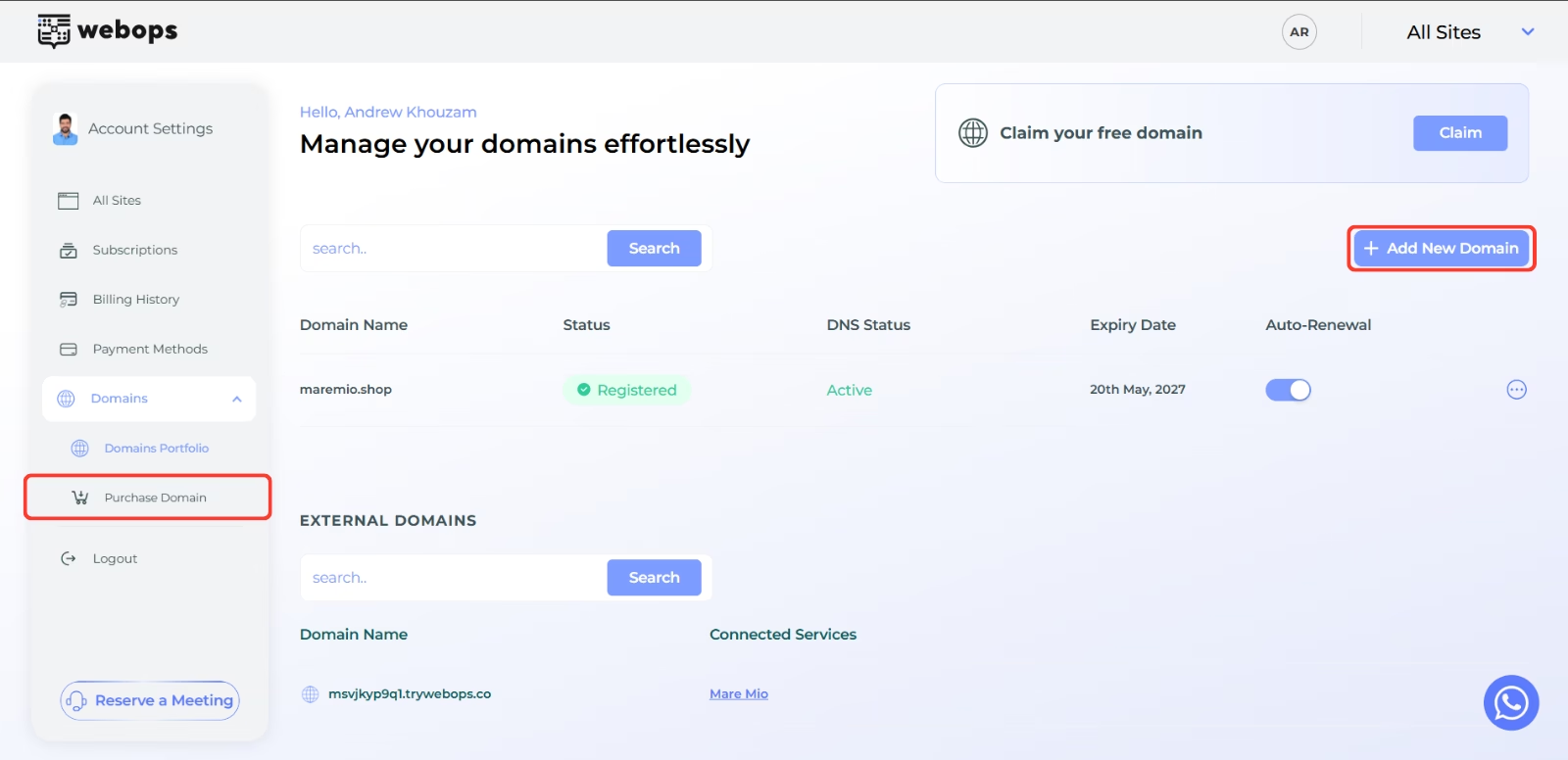
Step 2: Search for a Domain #
On the Purchase Domain page, enter the domain name you want to register (example: yourbrand.com).
انقر بحث.
WebOps will instantly check whether the domain is available.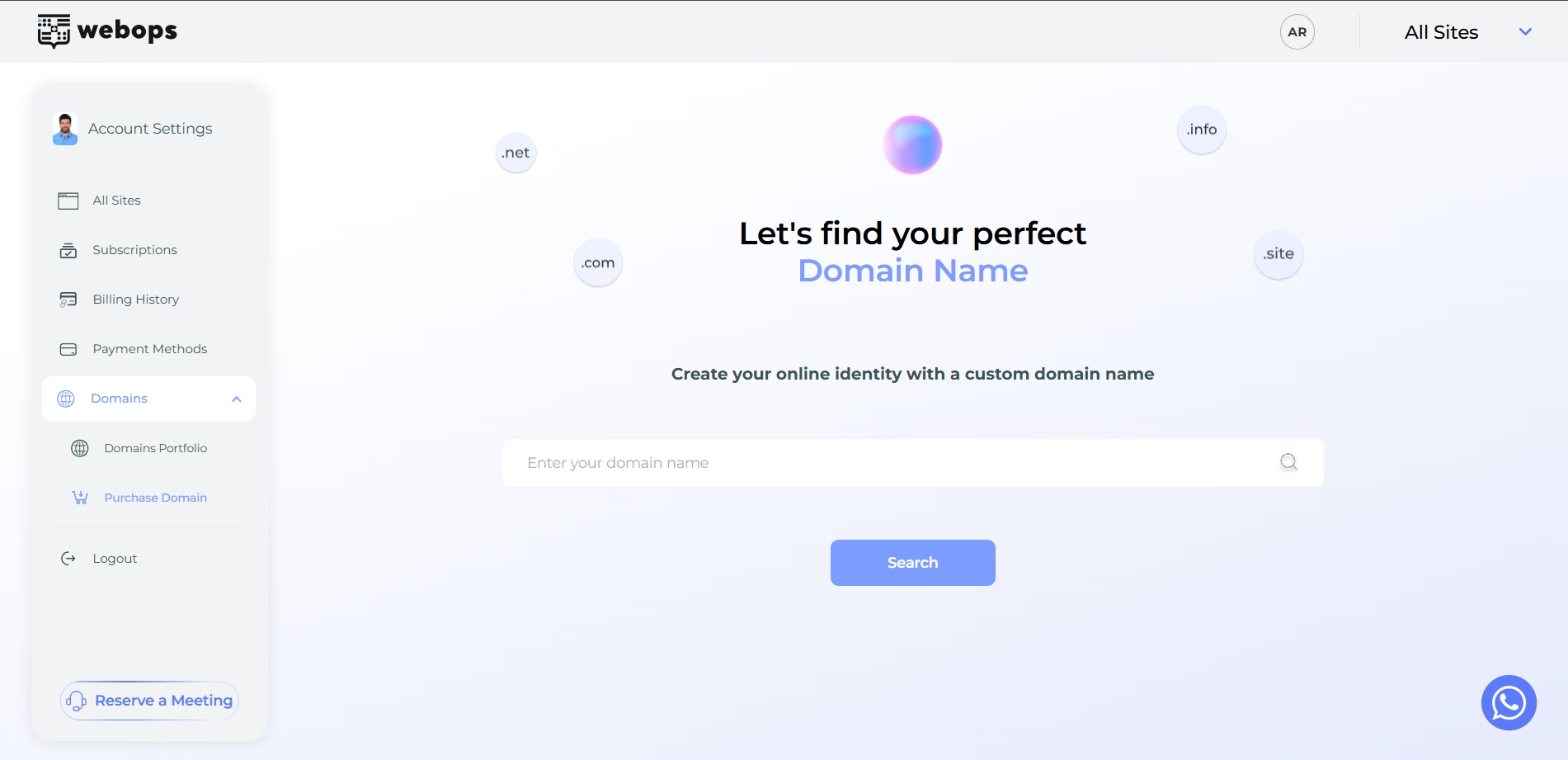
Step 3: Review Domain Availability #
After searching, WebOps will display whether the domain is:
- available for registration
- already taken
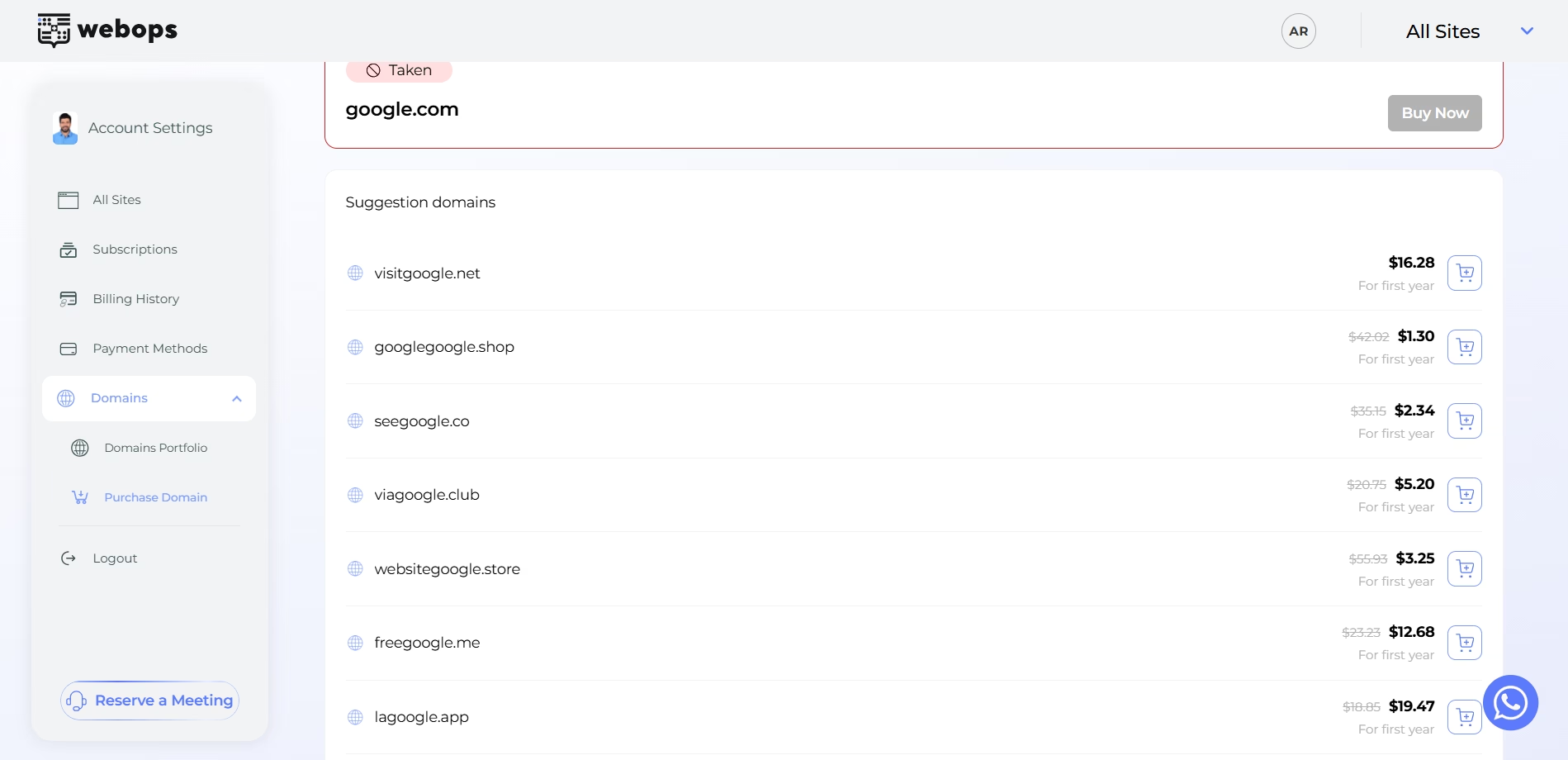
If the domain is unavailable, WebOps will display alternative domain suggestions.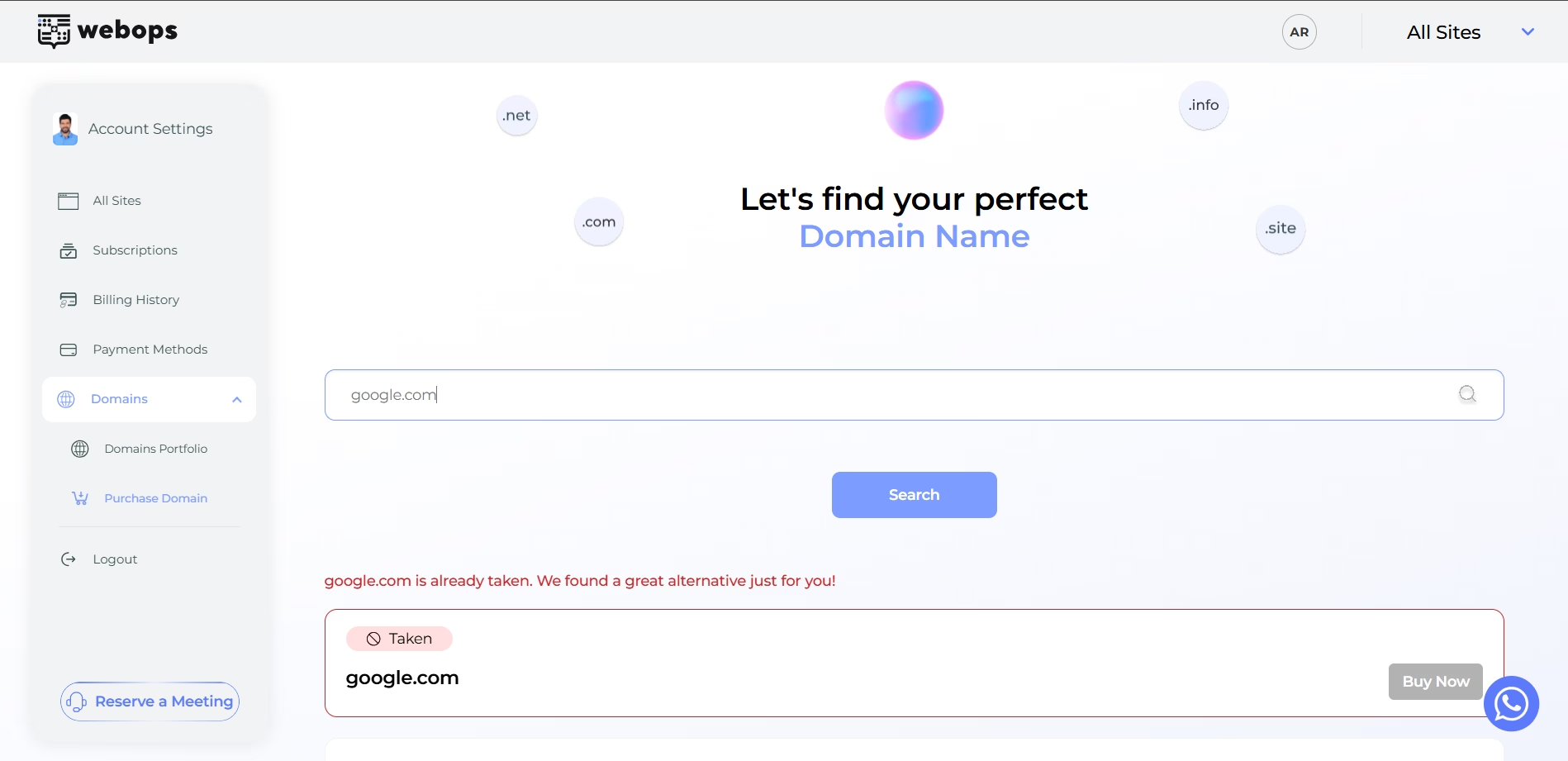
Step 4: Purchase the Domain #
If the domain is available, click اشترِ الآن.
A purchase confirmation modal will appear.
You can:
- review pricing
- choose the registration period
- complete payment
After payment is completed successfully, the domain will be registered automatically.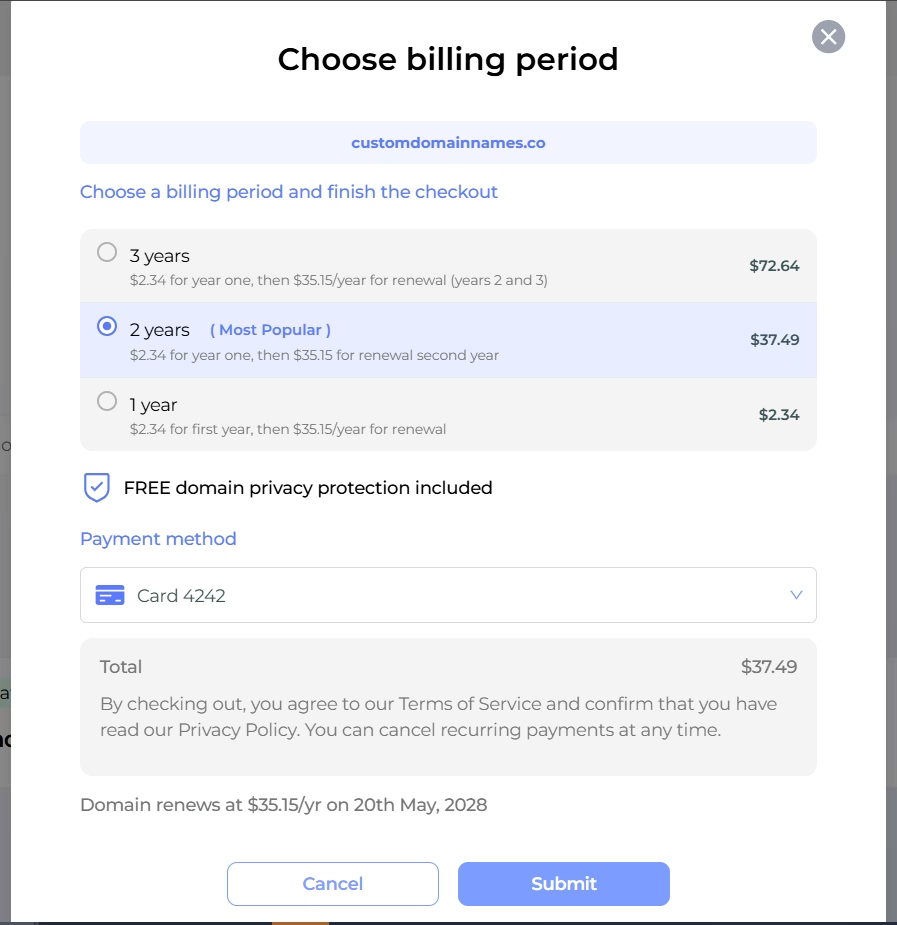
الخطوة 5: انتظر حتى يتم تفعيل النطاق #
After purchasing the domain:
- وستظهر في محفظة نطاقاتك
- سيبدأ تحديث حالة النطاق تلقائيًا
Initially, the domain may show:
- مسجل
- التكاثر
Once setup finishes successfully, the DNS Status will become:
- نشط
عندما يصبح النطاق «نشطًا»، يصبح جاهزًا لـ:
- الاتصال بالمواقع الإلكترونية
- إدارة سجلات نظام أسماء النطاقات (DNS)
You may also receive an email notification once activation is completed.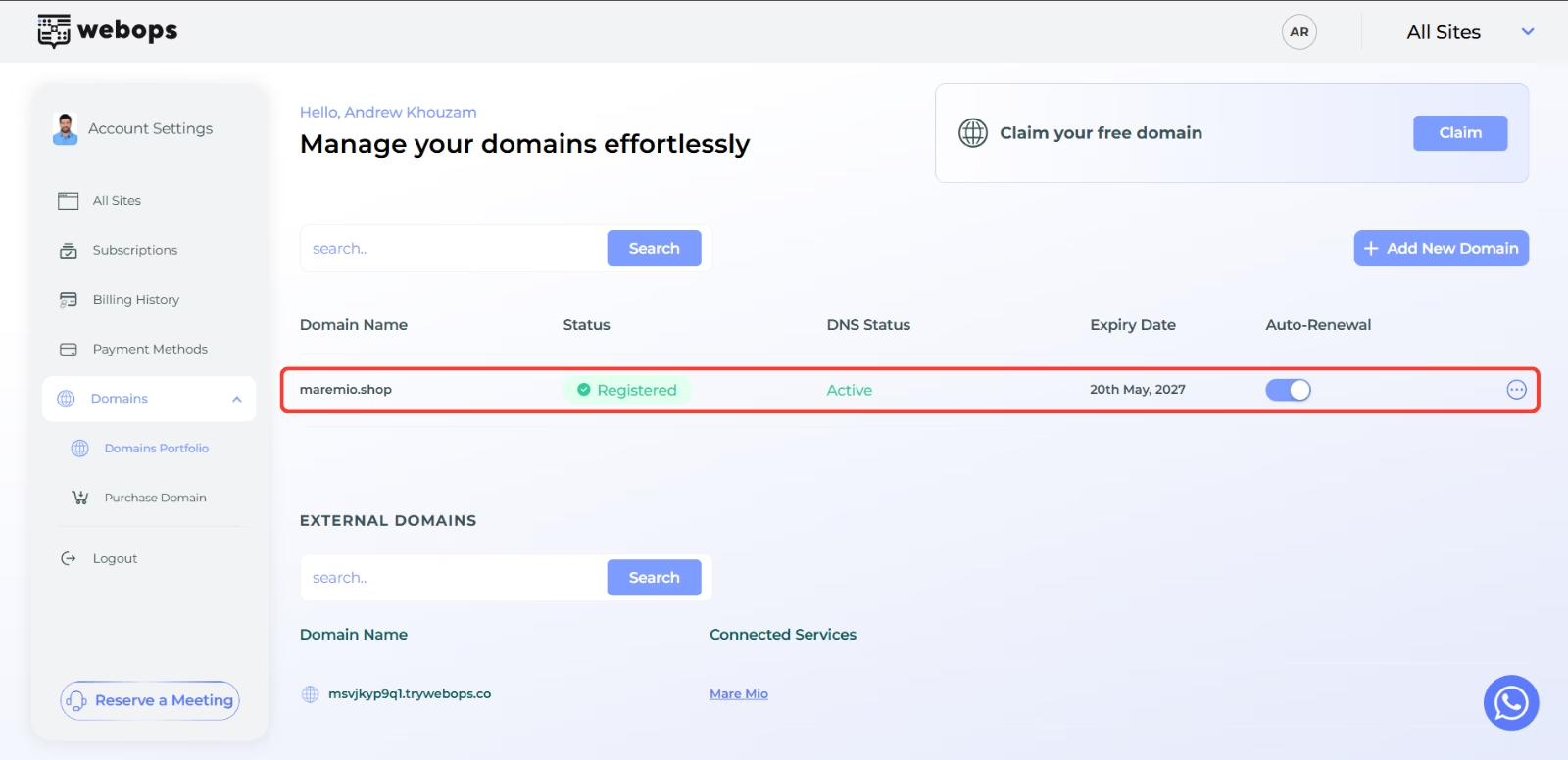
Understanding Domain Statuses #
Your domain may display different statuses during setup.
| الحالة | المعنى |
|---|---|
| مسجل | The domain registration was completed successfully |
| التكاثر | DNS setup is still processing |
| نشط | The domain is fully active and ready to use |
| خارجي | The domain is using external nameservers |
| خطأ | The setup process failed or requires attention |
Some DNS changes may take time to propagate globally.
Free Domain Claims (Annual Plans Only) #
If your website is eligible for a free domain:
- you may see a الادعاء button instead of اشترِ الآن
- the first year will be free
- renewal pricing will apply starting from the second year
After clicking الادعاء, a confirmation modal will appear before the domain is registered.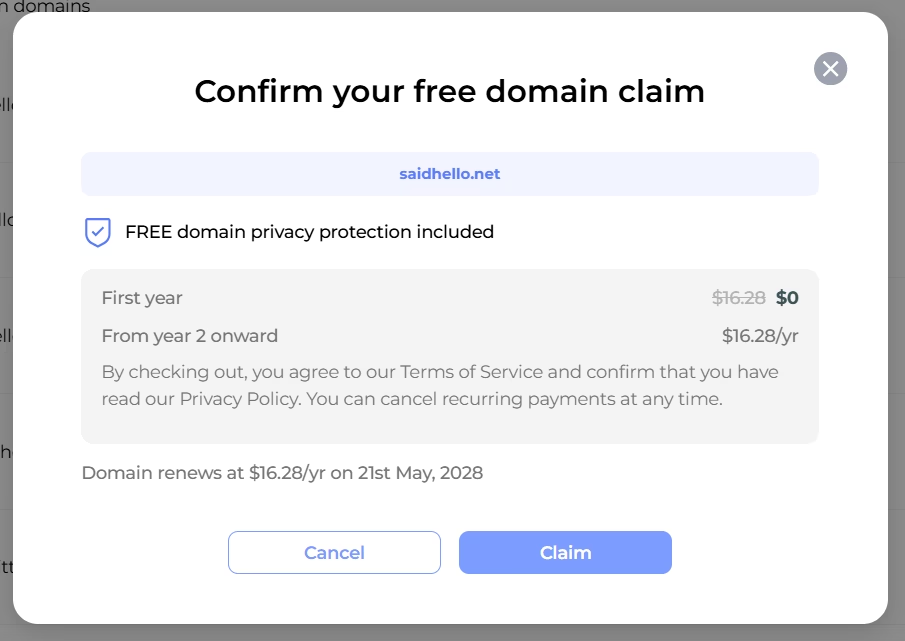
What Happens After Purchasing? #
Purchasing a domain does not automatically connect it to a website.
After the DNS Status becomes نشط, you can connect the domain to one of your websites.