
After your domain becomes Active in WebOps, you can manage DNS records directly from your dashboard.
This guide explains how to add and manage DNS records in WebOps.
قبل البدء #
Before managing DNS records, make sure:
- the domain status is Active
- يستخدم النطاق خوادم أسماء WebOps
Domains using external nameservers cannot use WebOps DNS management.
Step 1: Open DNS Management #
قم بتسجيل الدخول إلى لوحة تحكم WebOps الخاصة بك:
app.thewebops.com
From the left sidebar:
- Click Domains to open the Domains Portfolio page.
- Locate the domain you want to manage and click the three dots menu next to the domain.
- ثم انقر فوق: Manage DNS
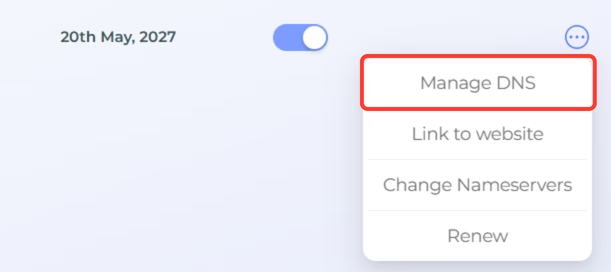
You will be redirected to the DNS management page for the selected domain.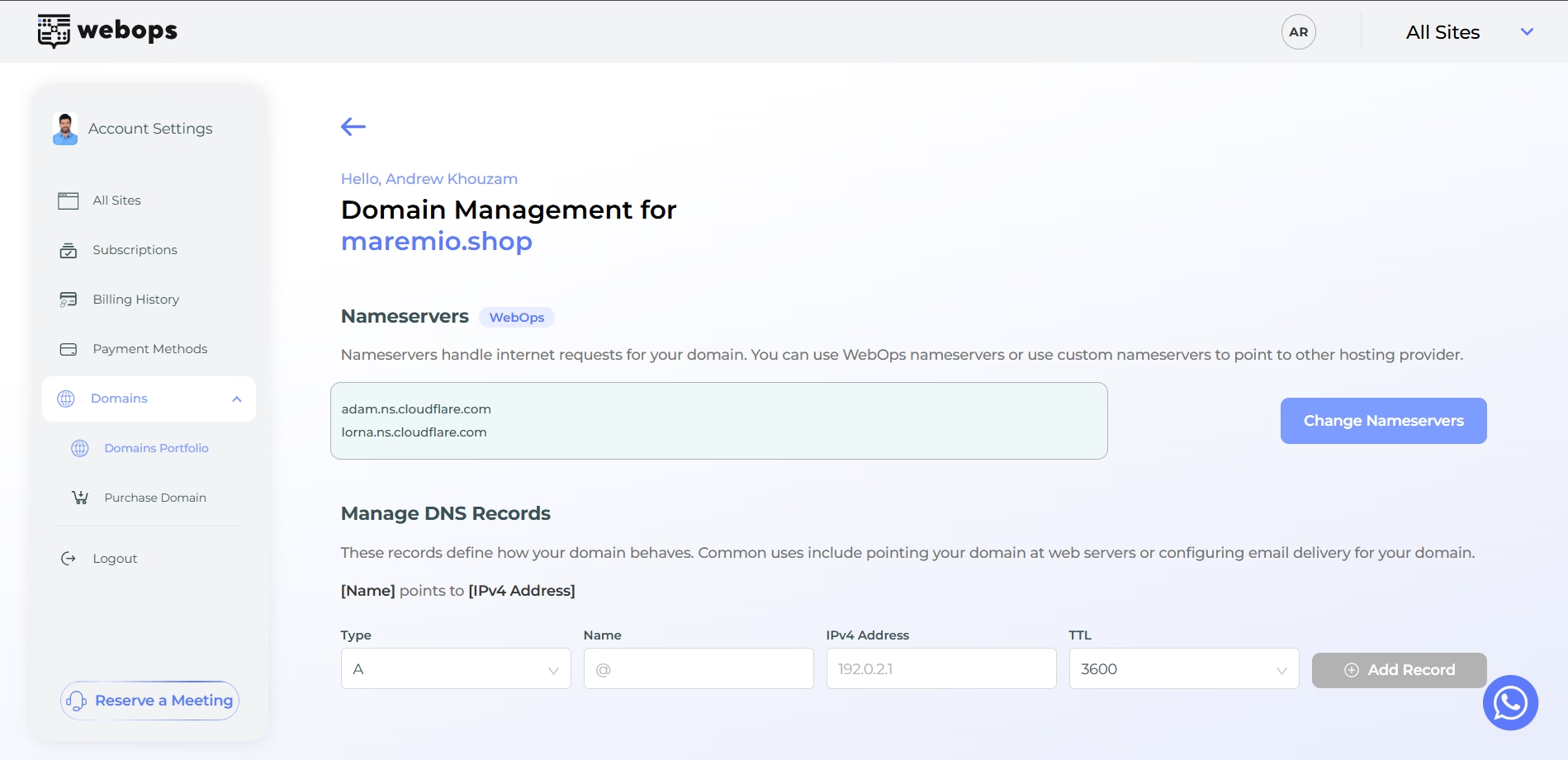
Step 2: Add a DNS Record #
Inside the DNS management page:
- select the DNS record type
- enter the required values
- click Add Record
WebOps supports multiple DNS record types.
A Record #
An A record points your domain to an IPv4 address.
| الاسم | IPv4 Address | TTL |
|---|---|---|
| @ | 192.0.2.1 | 3600 |

AAAA Record #
An AAAA record points your domain to an IPv6 address.
| الاسم | IPv6 Address | TTL |
|---|---|---|
| @ | db8::12001 | 3600 |

CNAME Record #
A CNAME record points one domain or subdomain to another domain.
| الاسم | الهدف | TTL |
|---|---|---|
| www | example.com | 3600 |

MX Record #
An MX record is used for email delivery.
| الاسم | الأولوية | الهدف | TTL |
|---|---|---|---|
| @ | 10 | mail.example.com | 3600 |

TXT Record #
A TXT record stores text-based verification or configuration values.
| الاسم | القيمة | TTL |
|---|---|---|
| @ | v=spf1 include:example.com ~all | 3600 |
TXT records are commonly used for:
- email verification
- SPF records
- domain ownership verification

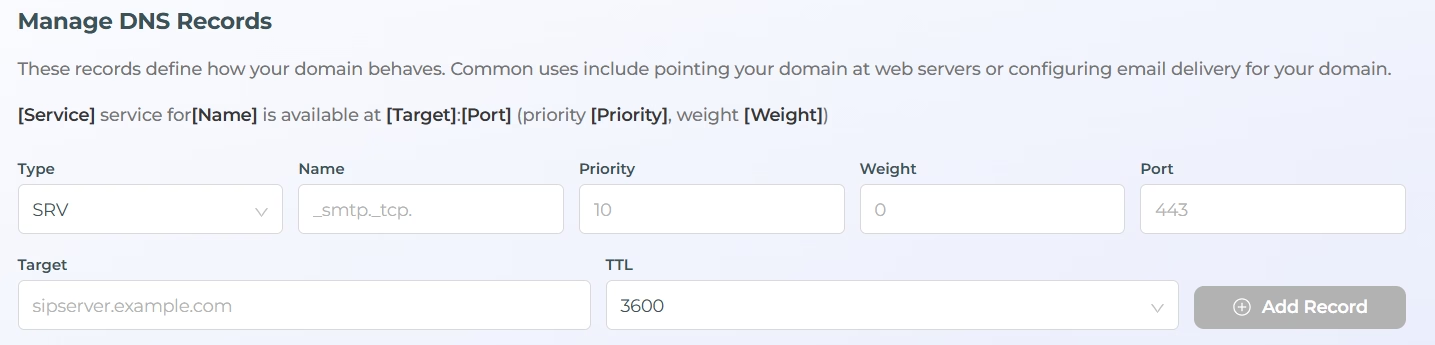
SRV Record #
An SRV record defines service configuration information.
| الاسم | الأولوية | Weight | Port | الهدف | TTL |
|---|---|---|---|---|---|
| _smtp._tcp | 10 | 0 | 443 | sipserver.example.com | 3600 |
Step 3: Wait for DNS Propagation #
After adding or updating DNS records:
- changes may take some time to propagate globally
- some services may start working immediately
- other DNS updates may take several minutes or hours
Propagation time depends on:
- DNS caching
- your internet provider
- the record type
ملاحظات مهمة #
- DNS records only work when the domain uses WebOps nameservers
- Incorrect DNS records may affect your website or email services
- Some DNS changes may require propagation time before becoming active
- TXT and MX records are commonly used for email services
- SRV records are usually used for advanced service configurations