
البناء باستخدام الذكاء الاصطناعي allows WebOps to automatically generate a complete website using the information you provide during onboarding.
Instead of manually choosing templates, layouts, or sections, the AI prepares the website for you automatically.
This guide explains how the AI website generation process works in WebOps.
Step 1: Sign In and Create a Website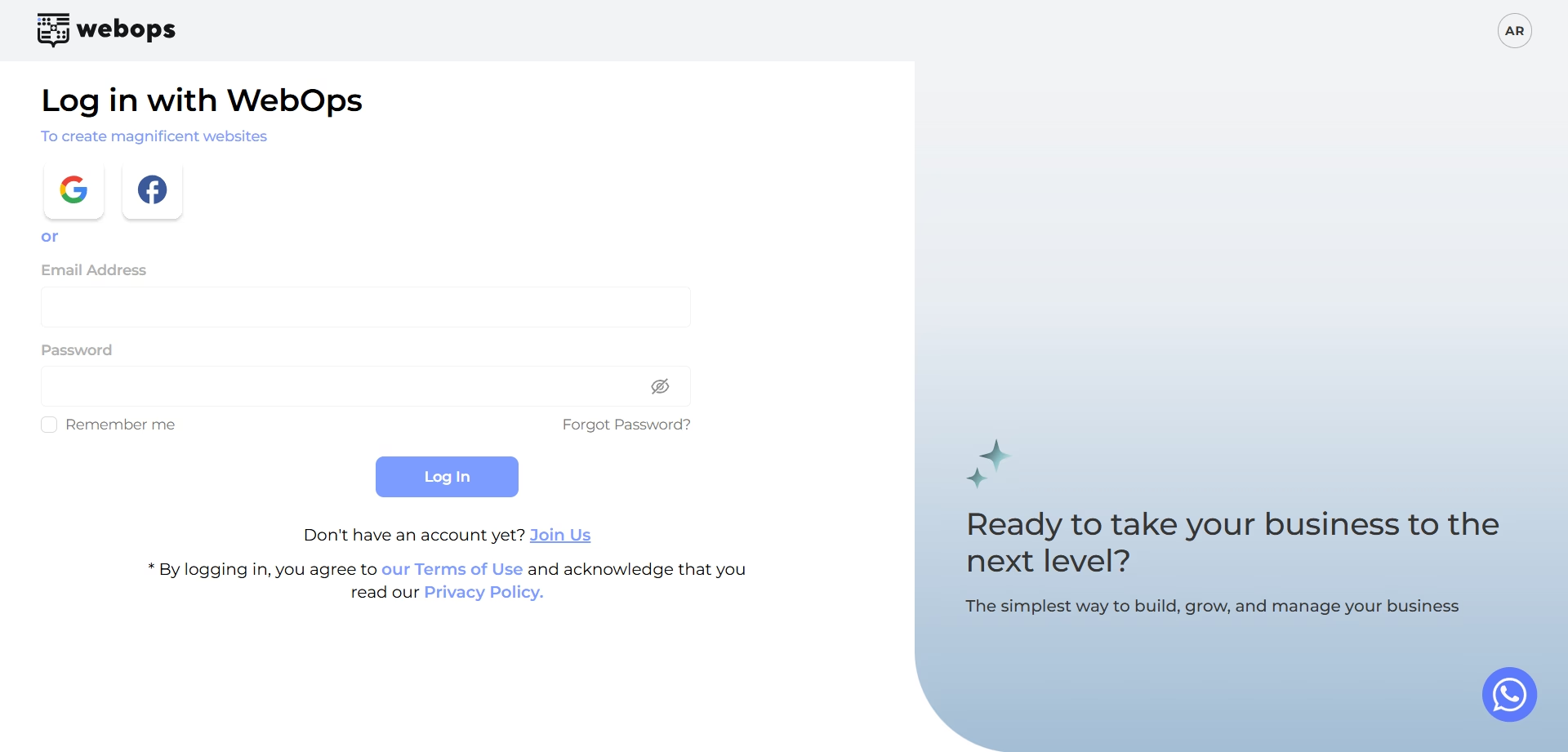 #
انتقل إلى: app.thewebops.com
انقر: تسجيل الدخول
Then log in to your account.
من لوحة التحكم الخاصة بك: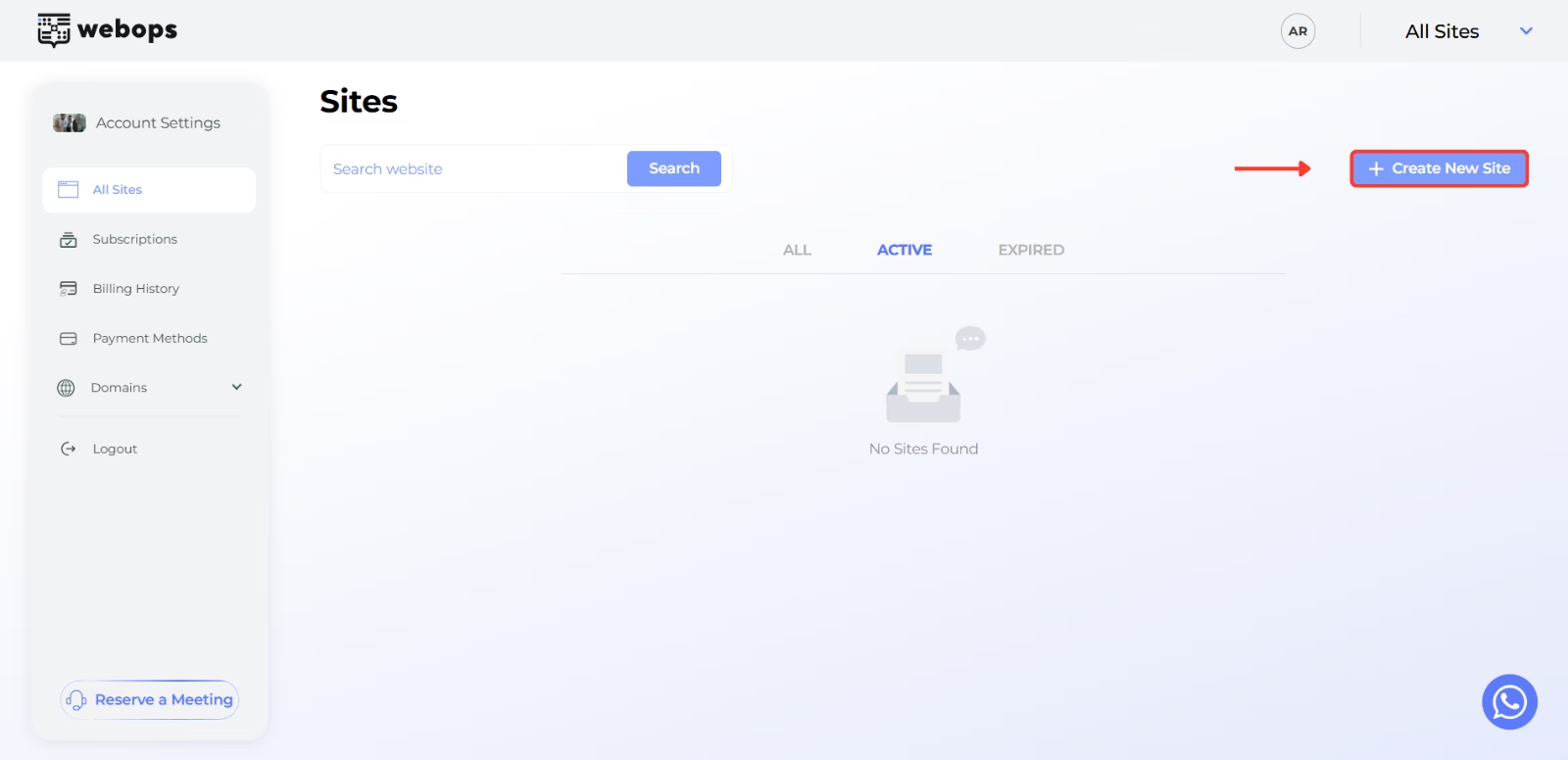
انقر: إنشاء موقع جديد
بناءً على نوع حسابك، يمكنك إما:
- انتقل مباشرةً إلى عملية التسجيل للحصول على موقع إلكتروني مجاني
- أو اختر خطة مدفوعة قبل المتابعة
Step 2: Complete the Onboarding Questions #
Before generating your website, WebOps asks a few onboarding questions to better understand your business and website goals.
The AI uses these answers to help generate your website automatically.
About Your Business #
The AI uses information such as:
- project name
- business type
- business description
to better understand your business and generate suitable website content and layouts.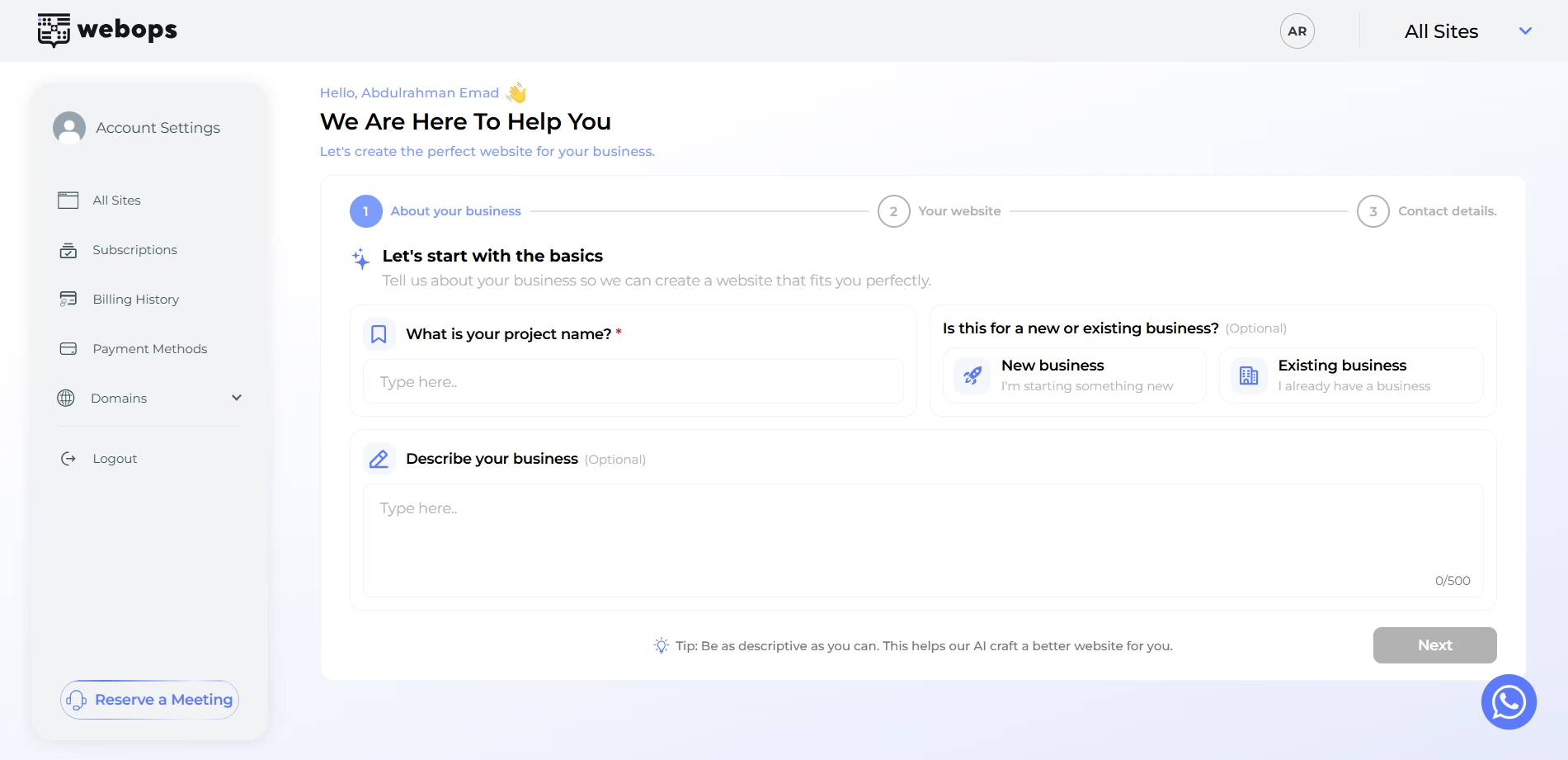
Your Website #
This step is one of the most important parts of the AI generation process.
The AI uses answers such as:
- website industry
- website goal
- uploaded logo
to help determine the type and structure of your website.
على سبيل المثال:
- selecting Online Store (Ecommerce) helps generate an e-commerce website
- يُساعد اختيار «موقع Showcase» في إنشاء موقع إلكتروني تجاري أو معلوماتي
The AI also uses these answers to help choose suitable layouts and website styles automatically.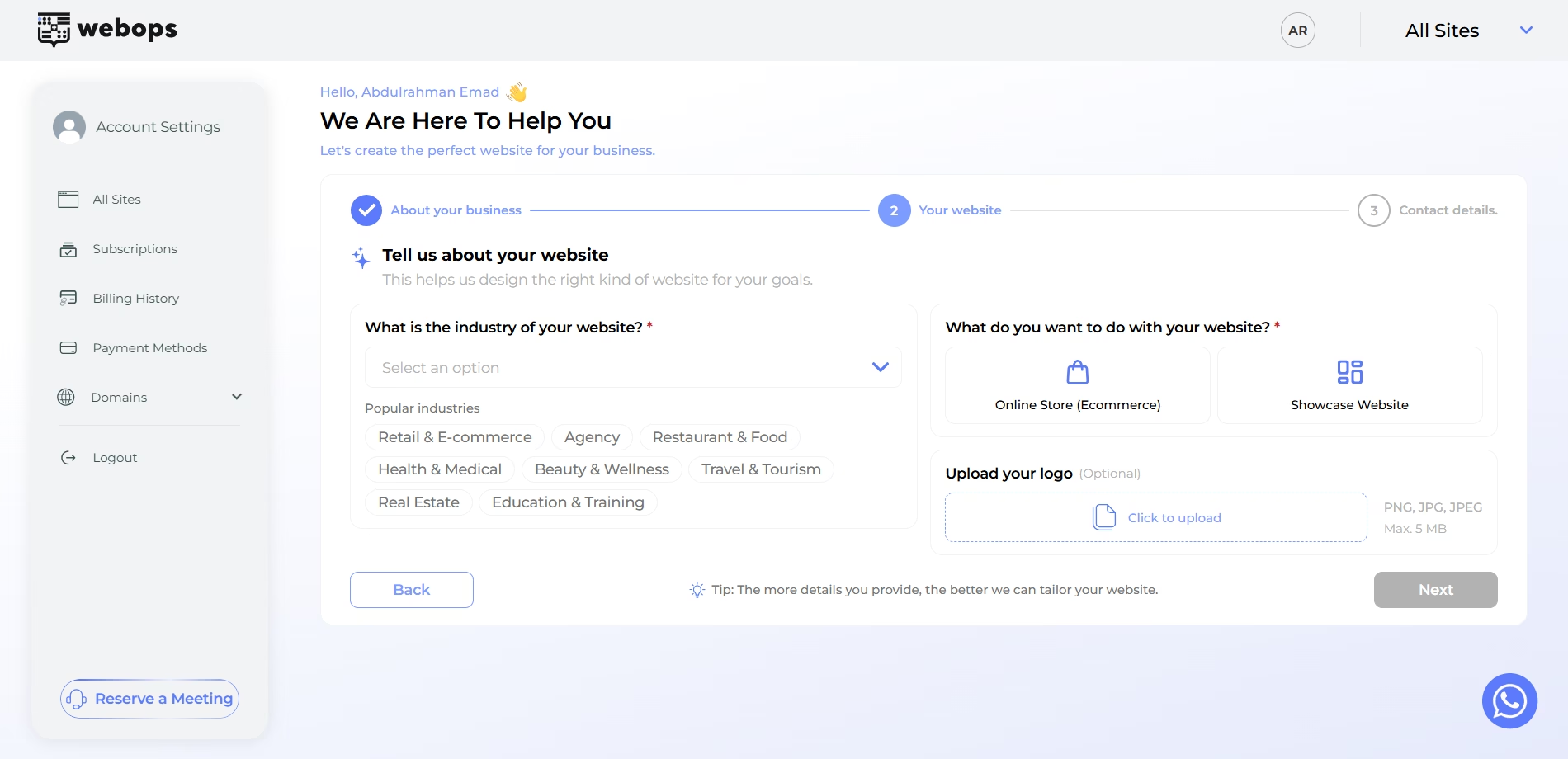
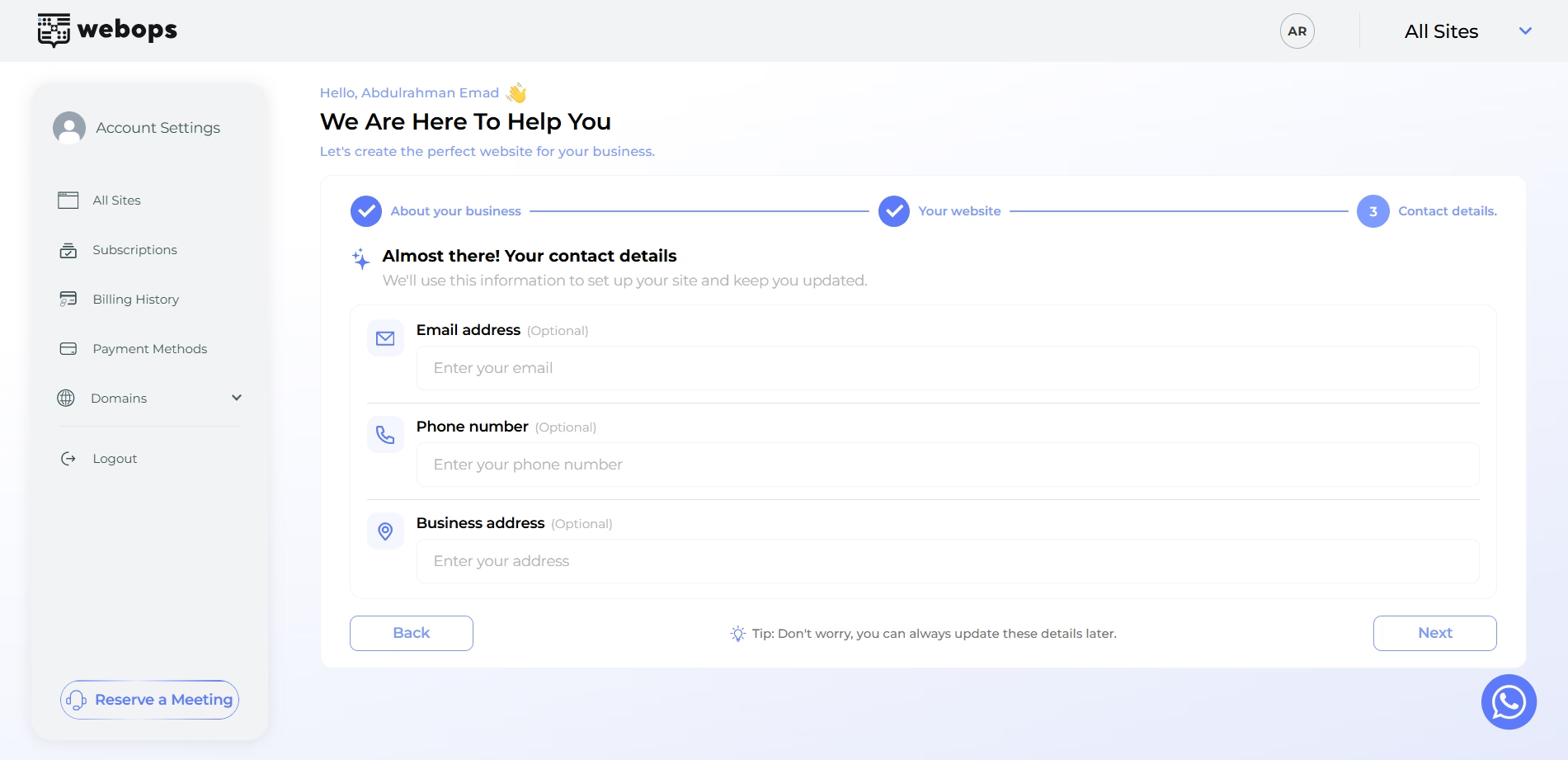
Contact Details #
You can also provide:
- email address
- phone number
- business address
These details may automatically appear inside your generated website such as:
- contact sections
- footer information
- contact pages
Step 3: Choose Build With AI #
After completing onboarding, you will choose how you want to create your website.
اختر: البناء باستخدام الذكاء الاصطناعي to start automatic website generation.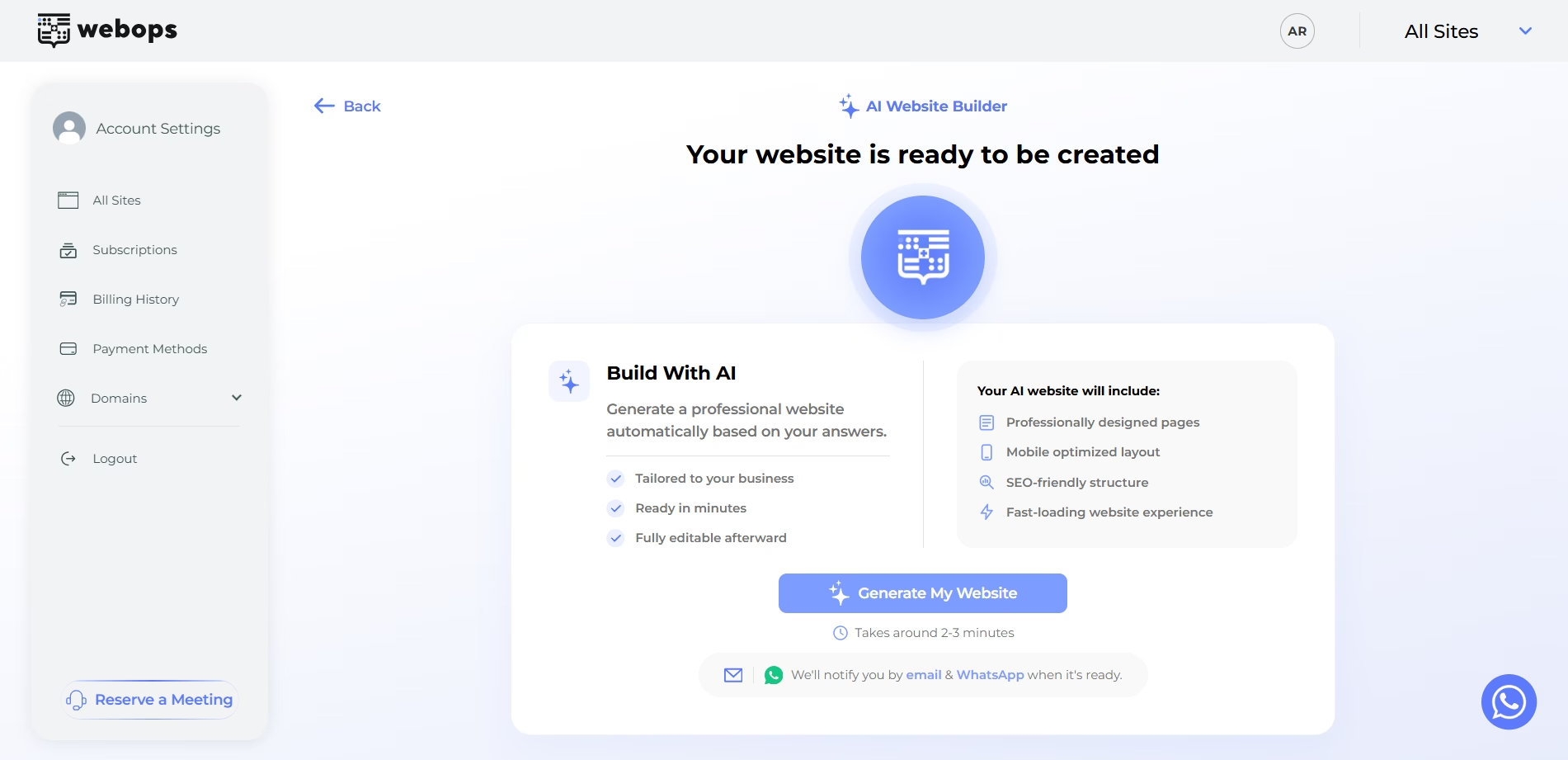
Step 4: Complete Payment (If Required) #
If your new website requires a paid plan, you will first be redirected to the payment step.
After payment is completed successfully, the AI generation process will begin automatically.
Step 5: AI Website Generation #
Once the AI process starts, WebOps automatically:
- prepares your website structure
- generates layouts
- creates website sections
- prepares content
- chooses suitable website styling
- creates e-commerce or showcase experiences depending on your onboarding answers
During this process, WebOps generates your website automatically in the background.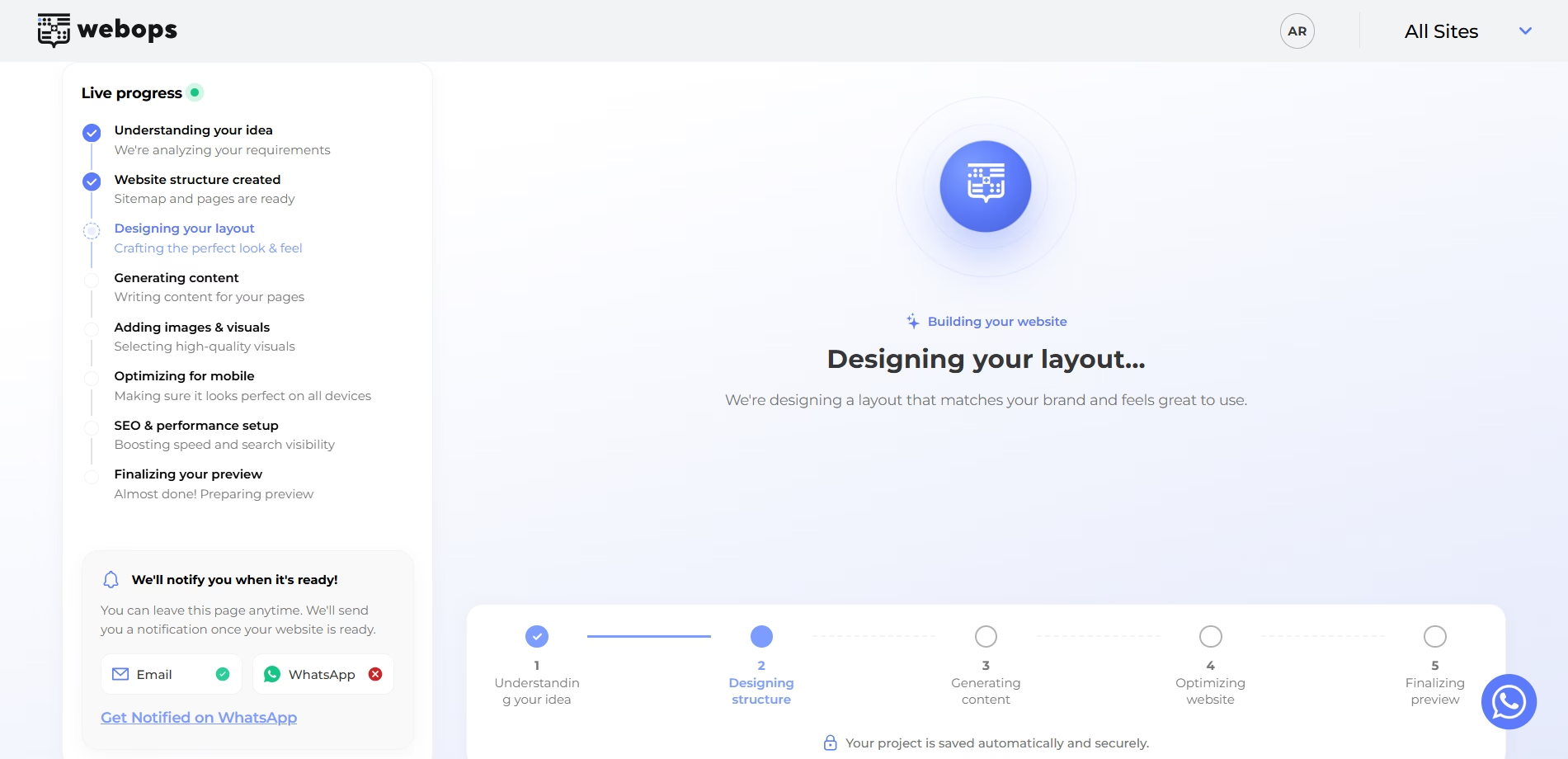
Step 6: Website Ready #
After generation finishes successfully:
- قد تتلقى إشعارًا عبر البريد الإلكتروني
- قد تتلقى أيضًا إشعارًا عبر WhatsApp إذا تم التحقق من رقم هاتفك
You will then be redirected to the website completion page.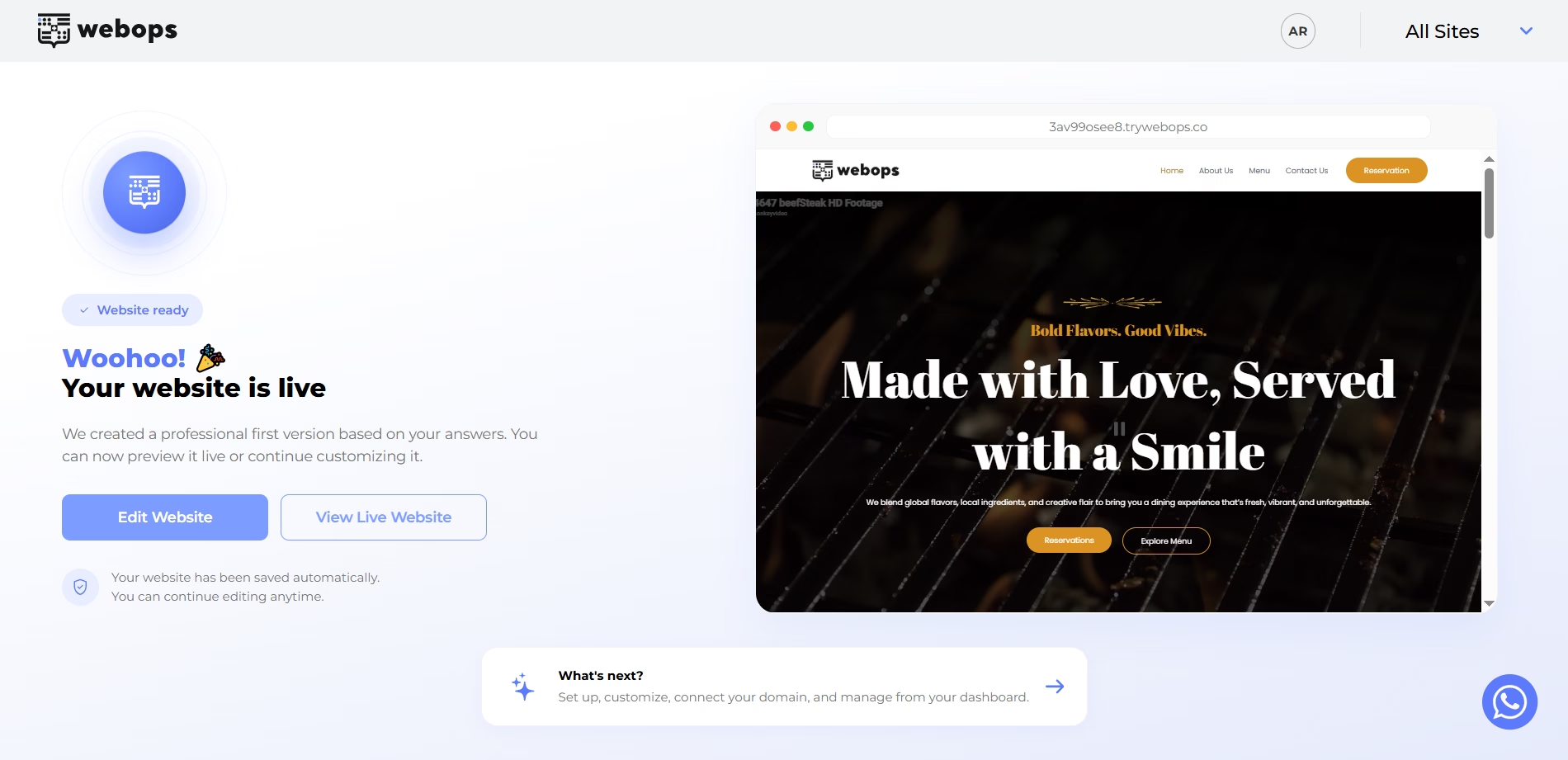
The completion page includes:
- a live preview of your website
- direct access to edit your website
- direct access to your live website
- next steps for managing your website
Available actions:
- تحرير الموقع الإلكتروني
- View Live Website
- What’s next?
What Happens After Generation? #
After your website is created, you can:
- edit pages and content
- customize the design
- upload images and media
- إدارة المكونات الإضافية
- connect domains
- publish updates
- continue building your website manually if needed
You can manage your website through both:
- the WordPress Dashboard
- the WebOps website dashboard
ملاحظات مهمة #
- AI website generation may take a few minutes depending on the website type
- The AI automatically selects layouts and structures based on your onboarding answers
- Choosing Online Store (Ecommerce) helps generate an e-commerce experience
- You can continue customizing your website after generation finishes
- Notifications may be sent through email and WhatsApp