
 اصنعه بنفسك allows you to manually create and customize your website using WebOps building tools and templates.
Instead of generating the website automatically with AI, this option prepares a clean website environment so you can build the website your own way.
This guide explains how the Build it Yourself flow works and the available website-building methods.
Step 1: Sign In and Create a Website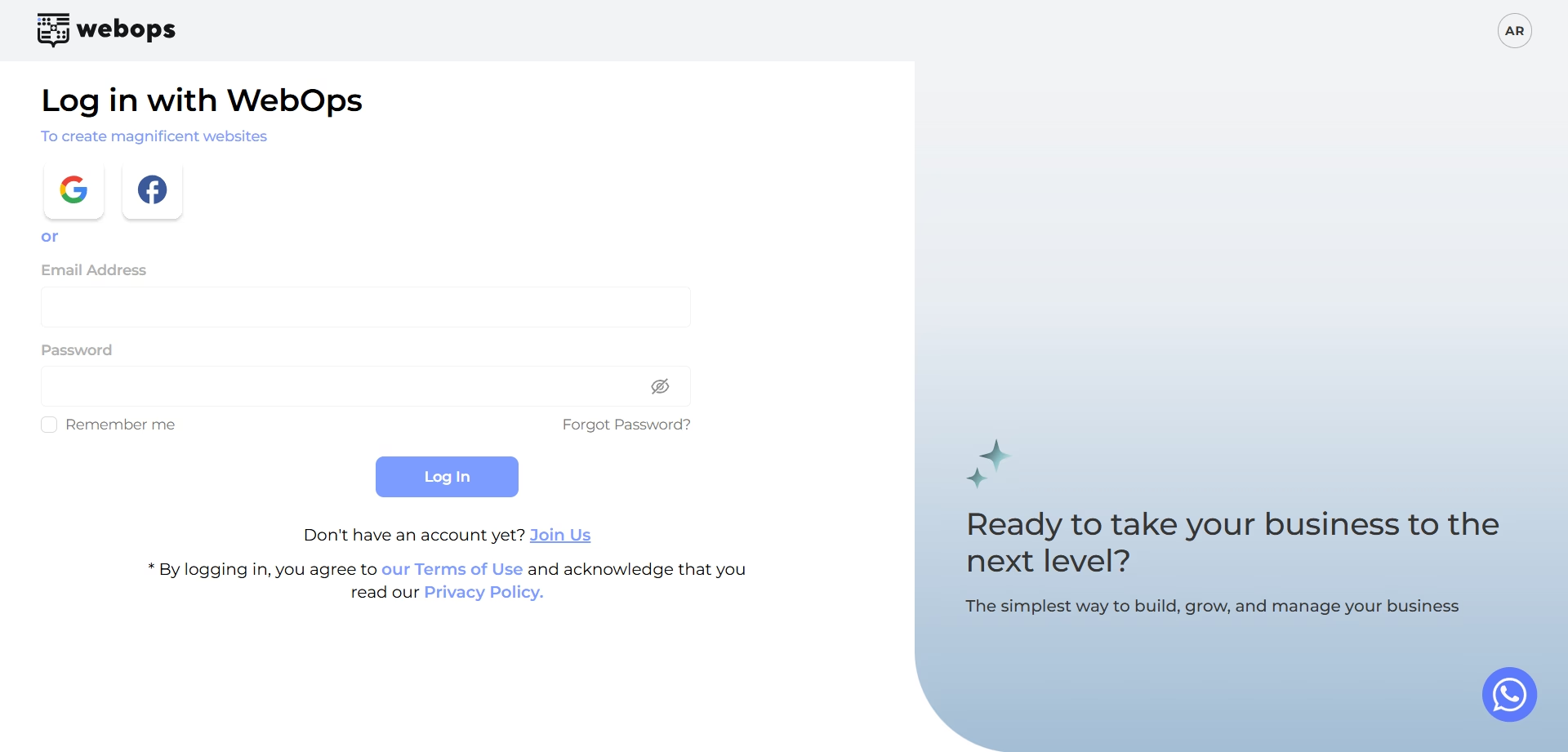 #
انتقل إلى: app.thewebops.com
انقر: تسجيل الدخول
Then log in to your account.
من لوحة التحكم الخاصة بك: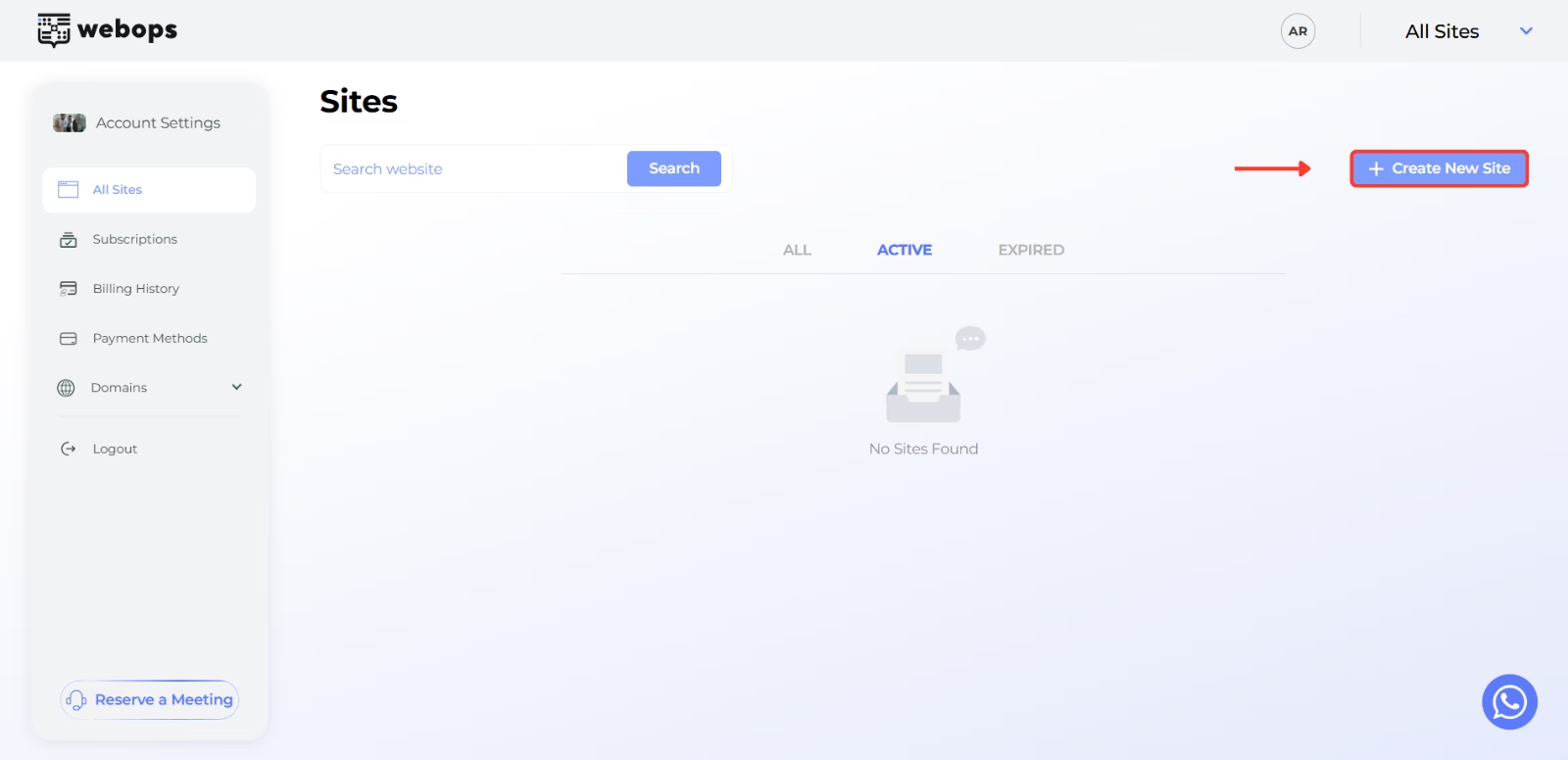
انقر: إنشاء موقع جديد
بناءً على نوع حسابك، يمكنك إما:
- انتقل مباشرةً إلى عملية التسجيل للحصول على موقع إلكتروني مجاني
- أو اختر خطة مدفوعة قبل المتابعة
Step 2: Complete the Onboarding Questions #
Before preparing your website, WebOps asks a few onboarding questions to better understand your business and website goals.
Complete all onboarding steps, then click: التالي لمواصلة القراءة.
لمزيد من المعلومات:
كيفية إنشاء موقع إلكتروني باستخدام WebOps Builder
Step 3: Choose Build it Yourself #
After onboarding, WebOps will ask how you want to build your website.
اختر: اصنعه بنفسك
This option creates a clean website environment so you can manually customize and build your website.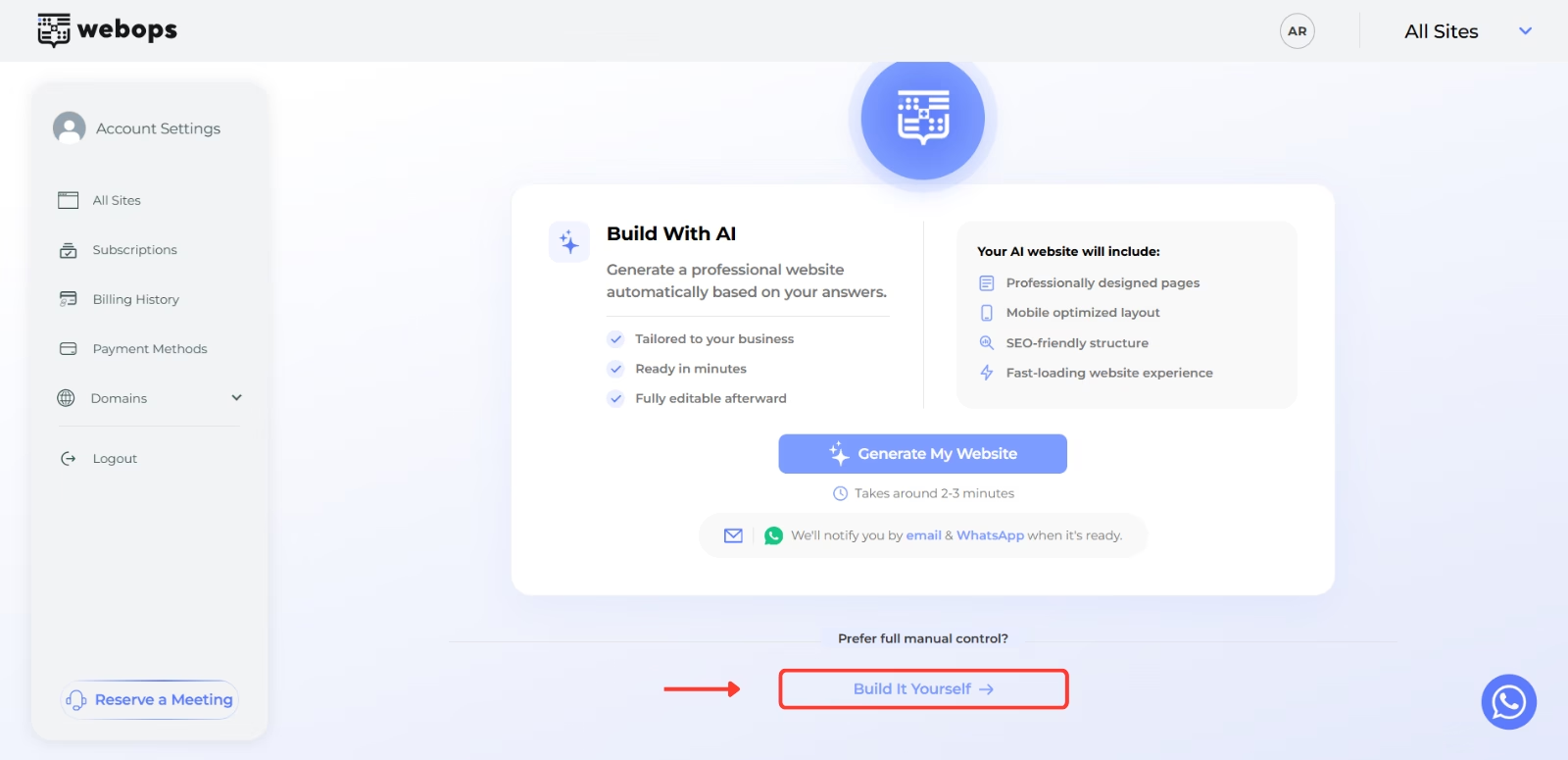
Step 4: Complete Payment (If Required) #
If your website requires a paid plan, you will first be redirected to the payment step.
After payment is completed successfully, WebOps will begin preparing your website automatically.
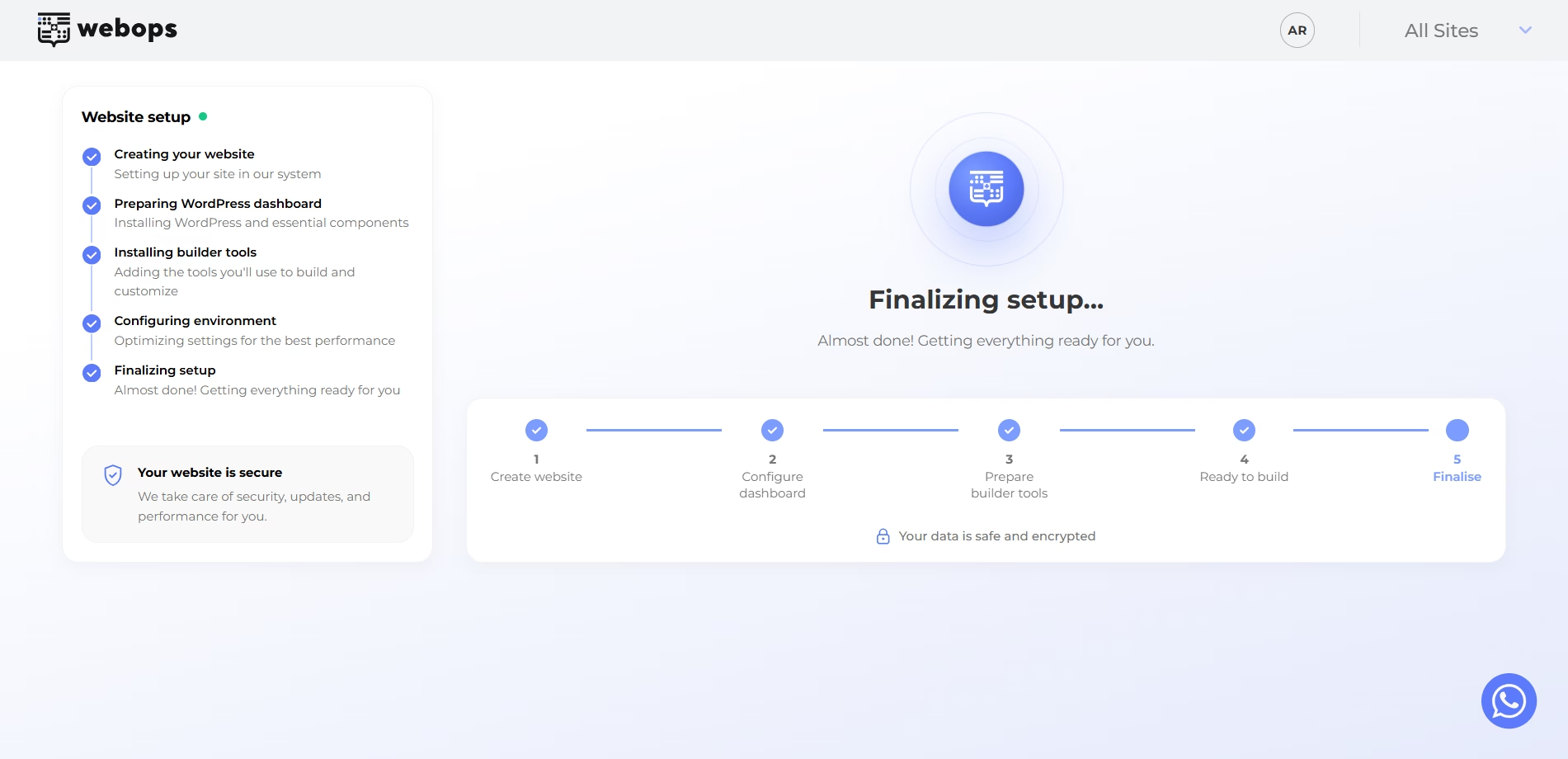
Step 5: Website Preparation #
During this stage, WebOps prepares your website environment and gets everything ready for manual building.
This includes:
- preparing the website container
- preparing WordPress
- preparing the website environment
Step 6: Start Building #
After preparation finishes successfully, you will be redirected to the congratulations page.
The page confirms that your website is ready for manual building.
انقر: ابدأ في البناء لمواصلة القراءة.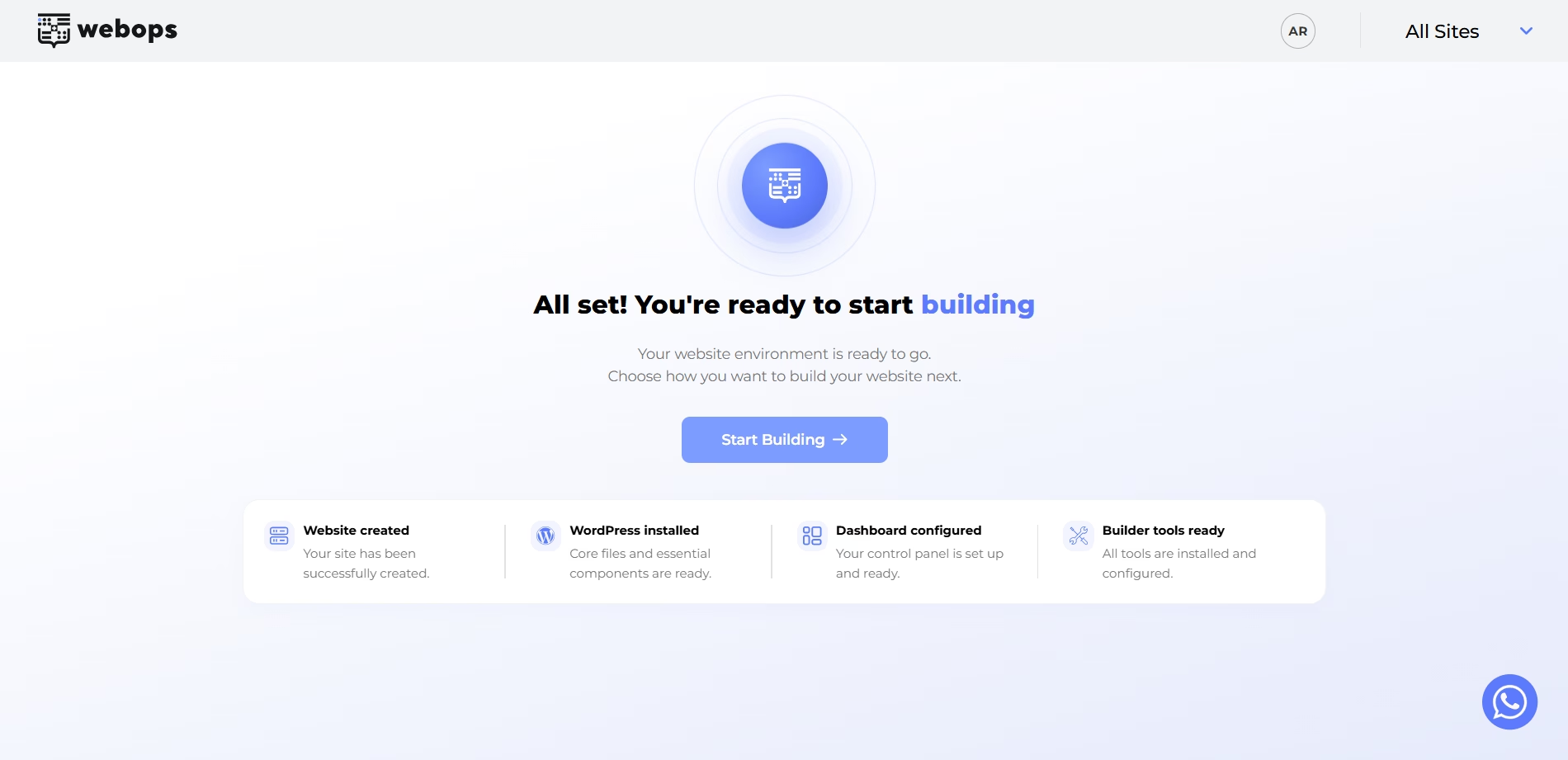
Step 7: Choose Your Building Method #
بعد النقر على: ابدأ في البناء
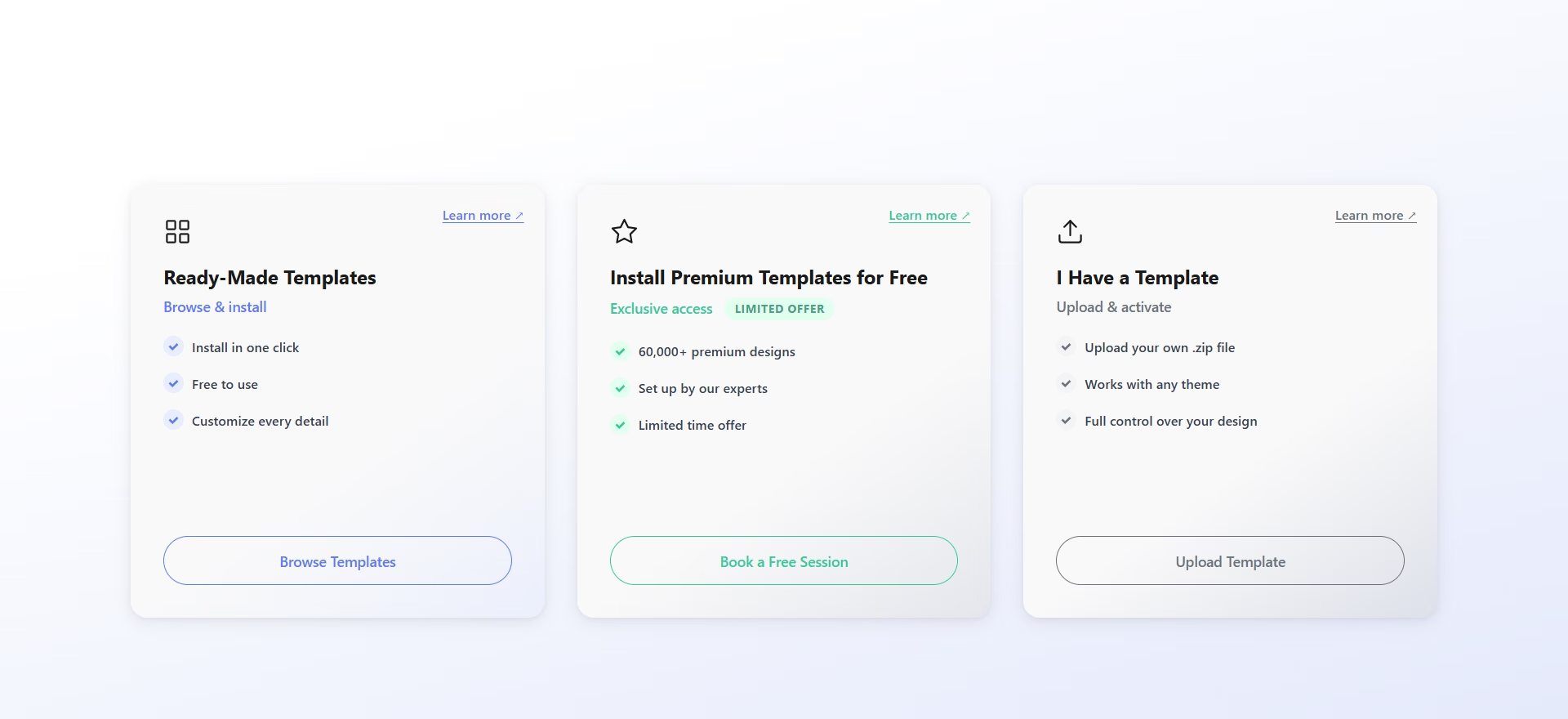
you will see the available manual website-building methods.
WebOps currently provides three manual building methods:
- قوالب جاهزة
- تثبيت القوالب المميزة مجانًا
- لديّ قالب
Option 1: Ready-Made Templates #
Ready-Made Templates allow you to quickly launch your website using professionally designed templates.
This is the fastest manual website-building method.
لمزيد من المعلومات:
كيفية إنشاء موقع إلكتروني باستخدام قوالب جاهزة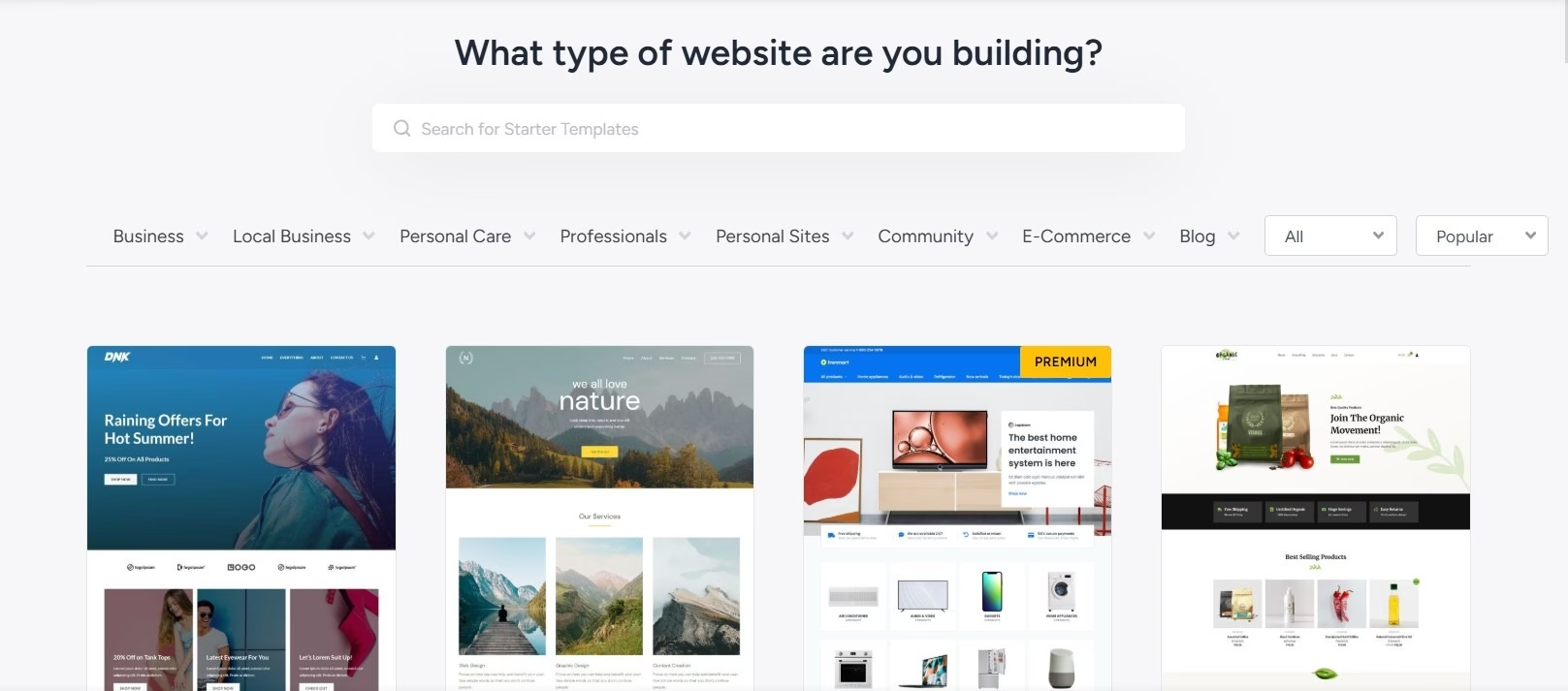
Option 2: Install Premium Templates for Free #
This option allows you to install premium WordPress templates with help from the WebOps team.
This is useful if you want advanced or premium designs without manually configuring everything yourself.
لمزيد من المعلومات:
كيفية تثبيت القوالب المميزة مجانًا
Option 3: I Have a Template #
This option allows you to upload and use your own WordPress template or theme.
This is useful if you already purchased a template from marketplaces such as ThemeForest.
لمزيد من المعلومات:
كيفية إنشاء موقع إلكتروني باستخدام قالب خاص بك
ماذا سيحدث بعد ذلك؟ #
After choosing a building method, you can continue customizing your website through:
- the WordPress Dashboard
- WebOps tools and settings
You can later:
- تحرير الصفحات
- تخصيص التصميم
- upload media
- تثبيت المكونات الإضافية
- connect domains
- انشر موقعك الإلكتروني